

TL;DR
- A QR code landing page is judged before it has finished loading: by the domain the camera shows, the number of redirects, and how quickly something useful appears on a mobile connection.
- Most of what goes wrong after a scan is fixable without reprinting: send shoppers to your own domain, keep to one redirect, match their language, and put the answer to their question at the top.
- Apps, logins and banners that cover the content are where people give up. Accessibility (WCAG 2.2) is good practice for any page, but whether a law such as the European Accessibility Act applies depends on what the page does, not on the fact that it sits behind a QR code.
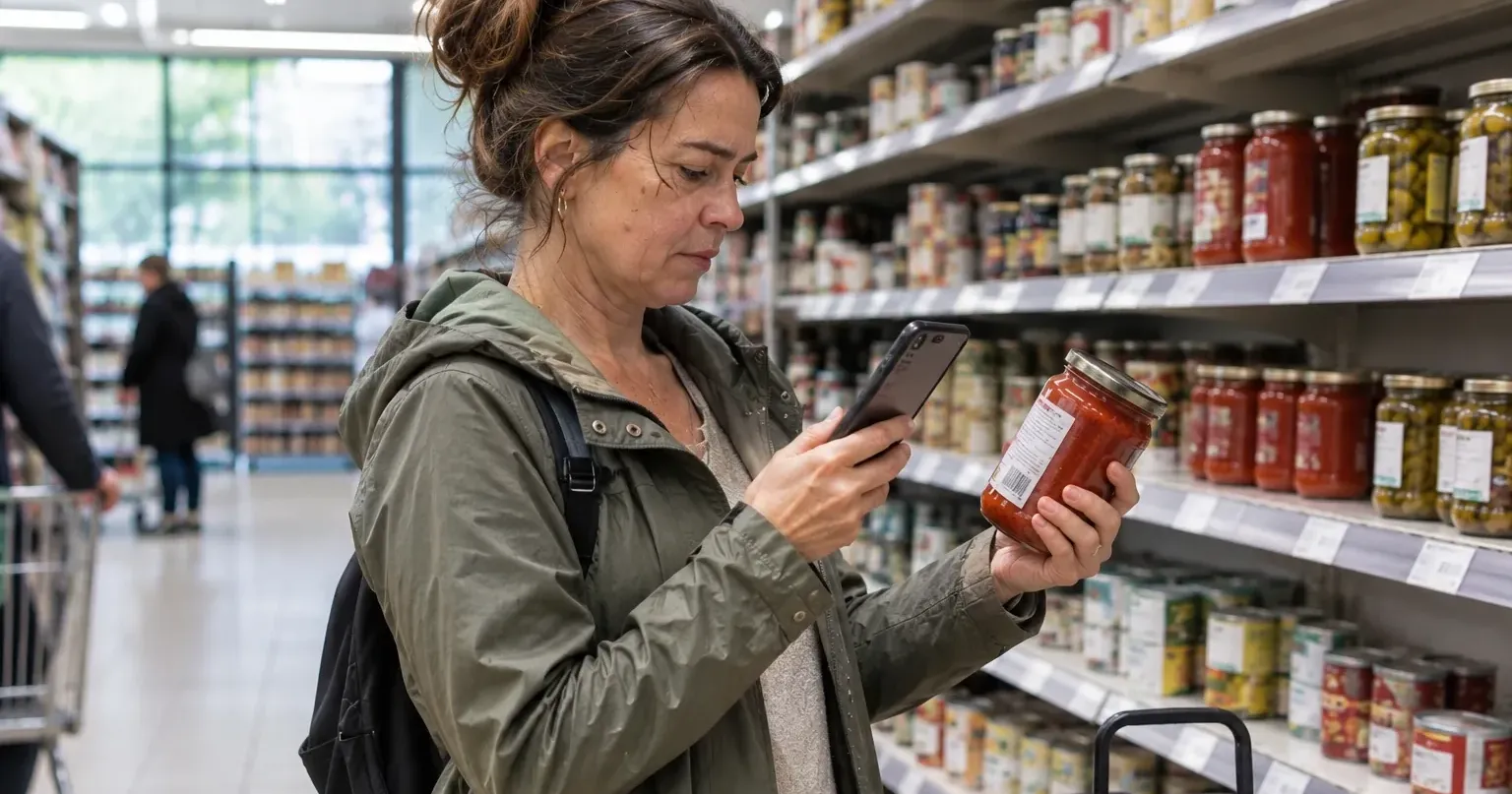
A shopper picks up a jar, points a phone at the code and waits. What happens next decides whether they read the allergen list, check how to recycle the lid, or put the phone away and not bother next time. None of that depends on how well the code was printed. It depends on the short path from the camera recognising the code to a page they can actually use.
This guide is about that path. Print size, quiet zone and placement are in our QR code packaging best practices and the legibility guide; writing a product page for an online shop is in our product page guide. Here we cover what happens in between, and how to measure it.
What happens between the scan and the page?
A scan of a GS1 Digital Link code sets off a short chain of events, and each step can add delay or doubt.
| Step | What happens | What can go wrong |
|---|---|---|
| 1. Decode | The phone camera reads the code and finds a web address | Nothing, if the print is good |
| 2. Preview | The phone shows the address, or its domain, and waits for a tap | An unfamiliar domain makes people hesitate |
| 3. Connect | The phone looks up the domain and opens a secure connection | Slow or broken DNS, certificate warnings |
| 4. Resolve | The resolver reads the GTIN and picks a destination | Extra hops, a wrong or missing entry |
| 5. Load | The destination page downloads and renders | Heavy images, scripts, slow mobile network |
| 6. Read | The shopper looks for the answer they came for | Banners, pop-ups, app prompts, wrong language |
Steps 1 and 2 belong to the phone. Steps 3 to 6 belong to you, or to the provider running your codes. If a code does not open at all, see our troubleshooting guide. This guide asks whether it opens well.
Why does the domain in the camera preview matter?
Because it is the first thing the shopper reads. On current iPhones and Android phones, the camera usually shows the address, or at least its domain, before anything opens. That small line of text is where the shopper decides whether to trust the code.
A recognisable domain such as id.yourbrand.com tells them the code belongs to the company whose name is on the pack. A generic short-link domain or a string of random characters asks them to take a risk. Our guide to quishing explains why a brand's own code on its own packaging sits at the safe end of that spectrum, and why the visible domain is one of the main signals people use to tell the difference.
Two practical points follow. The domain is printed in the code, so choose it before the first print run; a subdomain of your own keeps the codes yours whichever provider runs the resolver, as long as you look after it (QR code domain security explains how). And the page should finally open on the same domain, or clearly the same brand. A jump to an unrelated domain at the end of the chain undoes the trust the preview just built.
How many redirects is too many?
As few as you can manage. One is normal. Each extra hop is another round trip over a mobile network before the page even starts to load.
A GS1 Digital Link code points at a resolver, which reads the product identifier and redirects the phone. Under the GS1-Conformant Resolver Standard (release 1.2.1, August 2026), every identified product has exactly one default link, and the resolver redirects to it unless the request asks for something more specific, such as a particular link type or language. That redirect is what lets you update a code without reprinting.
What adds up is everything stacked on top of it:
- a short-link service in front of the resolver;
- a tracking redirect between the resolver and the page;
- a redirect from
httptohttps, or from one path to another, on the destination site; - a country selector page that sends the shopper somewhere else again.
Our resolver guide explains how routing by link type, language and context works inside a single resolver. Let it do the routing in one step and point it straight at the final page. To check, open the code's URL in a desktop browser with the developer tools open and count the hops.
How fast does a QR code landing page need to load?
Fast enough that the shopper is still holding the phone up. No standard sets a number for QR code pages, but the most widely used benchmark for web pages is Google's Core Web Vitals:
| Metric | What it measures | Good |
|---|---|---|
| Largest Contentful Paint (LCP) | When the main content has loaded | 2.5 seconds or less |
| Interaction to Next Paint (INP) | How quickly the page responds to a tap | 200 milliseconds or less |
| Cumulative Layout Shift (CLS) | How much the layout jumps while loading | 0.1 or less |
Google recommends measuring these at the 75th percentile of page loads, split by mobile and desktop. For a page opened from a pack, the mobile figure is the one that matters, measured on the networks shoppers really use: a supermarket with thick walls, a basement car park, a train.
Habits that help on mobile:
- Text first. Ingredients, instructions and recycling information belong in the page as text, not inside an image, a PDF or a video.
- Small images. One hero image, sized for a phone and compressed, is plenty. A carousel of full-resolution photos is a common reason product pages feel slow.
- Fewer scripts. Each chat widget, tag manager and third-party tracker adds weight. Ask what each one is for on this page.
- No layout jumps. Reserve space for images and banners so the text does not move while the shopper reads it.
The "three seconds" in this guide's title is a reminder, not a benchmark. Abandonment figures tied to three seconds circulate widely, but the one most often quoted comes from a 2016 Google study whose original page is no longer online, so we do not repeat it.
Should the page open in the shopper's language?
Yes, where you have the content. Browsers send an Accept-Language header with each request, listing the user's preferred languages in order. The GS1 Resolver Standard says conformant resolvers should support this header, and gives the example of a resolver that sends a shopper to the version in their preferred language when one exists and to a default version when it does not.
So one code on a pack sold in several countries can open in French for one shopper and German for another, with no country selector. A few points help:
- Use the browser's language preference rather than guessing from location. A Dutch speaker on holiday in Spain probably wants Dutch.
- Set a sensible default for languages you do not cover, usually English or the language of the main market.
- Show a visible language switch on the page, because the preference the browser sends is not always the one the shopper wants for this product.
- Mark the page language in the HTML. WCAG 2.2 success criterion 3.1.1 asks for it, and it helps screen readers pronounce the text correctly.
What should the shopper see first?
The answer to the question that made them scan. People rarely scan a pack to browse, so the top of the screen should give that answer without scrolling.
| Why they scanned | What to show first | GS1 link type |
|---|---|---|
| "Can I eat this?" | Allergens and ingredients | gs1:allergenInfo, gs1:ingredientsInfo |
| "How do I use it?" | Instructions, ideally short steps with a picture | gs1:instructions |
| "Which bin does this go in?" | Packaging parts and how to dispose of each | gs1:sustainabilityInfo |
| "Is this genuine?" | An authenticity check | gs1:verificationService |
| "Is this batch affected?" | A recall notice, if there is one | gs1:recallStatus |
| "What is this product made of?" | Product passport data | gs1:dpp |
The link types are from the GS1 Web Vocabulary. Typed links let apps ask for exactly what they need, while a plain camera scan goes to the default page. On that page, decide the order product by product: allergens first for a snack, disposal first for a cleaning spray, set-up instructions first for an appliance. The brand story, recipes and promotions can come further down.
What gets in the way: apps, logins and banners
App downloads. A GS1 Digital Link code opens a normal web page in the phone's browser. Asking for an app install before showing the ingredients turns a quick check into a chore. Offer an app further down if you have one.
Login walls. Product information, safety information and disposal instructions should be readable without an account. If a loyalty scheme or warranty registration needs a login, put it behind its own button, after the answer.
Banners that cover the content. Under Article 5(3) of the ePrivacy Directive, storing or reading information on a user's device needs their consent unless it is strictly necessary for the service they asked for; the European Data Protection Board's Guidelines 2/2023 explain how widely that applies. What your page needs is a question for your privacy team. The design question is separate: a banner that fills a phone screen hides the answer. Fewer non-essential trackers mean less to ask consent for.
Is a QR code landing page covered by accessibility law?
Sometimes, and it is worth being precise. The European Accessibility Act, Directive (EU) 2019/882, applies to a list of products and services provided to consumers after 28 June 2025. E-commerce services are on that list (Article 2(2)(f)). The Directive defines them in Article 3(30) as services provided at a distance, through websites and mobile device-based services, at the individual request of a consumer, "with a view to concluding a consumer contract". Microenterprises providing services, defined as fewer than 10 employees and an annual turnover or balance sheet total of no more than 2 million euros, are exempt from the service requirements (Article 4(5)).
So a page that sells the product, or leads straight into a purchase, may fall within that definition. A page that only shows ingredients or recycling instructions, with no route to a contract, is less clearly in scope, and we would not assume either way. National transposition laws and their guidance matter here, and your legal adviser is the right person to decide for your pages.
Whether or not the law applies, the people scanning include shoppers with low vision, in poor light, or using screen readers. WCAG 2.2, a W3C Recommendation since October 2023, is the reference standard. A few of its level AA criteria matter most on a phone:
- text contrast of at least 4.5:1 (3:1 for large text);
- text that can be enlarged to 200% without losing content;
- content that reflows at a width of 320 CSS pixels without sideways scrolling;
- tap targets of at least 24 by 24 CSS pixels, or with enough space around them;
- the language of the page declared in its HTML.
What happens if the signal is weak?
The checkout is not affected: a till reads the product identity from the code locally, as our guide to whether 2D barcodes work offline explains. The shopper's phone is a different matter. The page needs a connection, and inside shops the connection is often poor.
Design for that. A light page with text first shows something useful on a slow connection, where a heavy one shows a blank screen. Put the critical information at the top so it renders before the images arrive, and avoid pages that need several scripts before any text appears.
How do you measure the experience after the scan?
By comparing steps, not just counting scans.
- Scans versus page views. If many scans do not turn into page views, something between the resolver and the page is failing or too slow.
- Device and location. Scan analytics that show device types and locations tell you which phones and markets to test on.
- Variants. If batches or product versions have their own codes, compare them. A drop on one batch can point to a print or content problem.
- Field speed. Measure Core Web Vitals on real mobile visits, not only in a lab test on office Wi-Fi.
- Real scans. Now and then, scan your own products in a shop, on an ordinary phone, on mobile data, and time it.
The three-second checklist
| Check | Pass if |
|---|---|
| Domain | The preview shows your brand's own domain |
| Redirects | One hop from the code's address to the final page |
| HTTPS | No certificate warning and no http step on the way |
| Speed | LCP of 2.5 seconds or less on mobile, at the 75th percentile |
| Language | The page opens in the browser's preferred language, with a switch |
| First screen | The answer to the main reason for scanning is visible without scrolling |
| No barriers | No app download, no login, no banner covering the content |
| Accessibility | Contrast, text resize, reflow and tap targets meet WCAG 2.2 AA |
| Weak signal | Text appears before images on a slow connection |
| Measurement | Scans and page views are tracked and compared |
How does the Digital Link platform help?
Digital Link runs a GS1 conformant resolver for your codes, on its own domain or on a subdomain of yours through a custom domain, so the camera preview can show your brand. Each product has a default destination, with versions by language and country, and every link can be changed without reprinting. Smart Product Pages open in the browser with no app, can show category information such as ingredients, allergens and recycling instructions, and can be translated automatically. Analytics show scans, scan locations and device types, including by QR variant. Speed, layout and accessibility still depend on the content you add, so test your own pages against the checklist above.
Frequently asked questions
Do shoppers need an app to scan a GS1 Digital Link QR code?
No app is needed on most current phones. The built-in camera reads the code and opens the web address in the browser. The page itself should also work in the browser, without asking the shopper to install anything.
How fast should a QR code landing page load?
Google's Core Web Vitals give a widely used benchmark: main content in 2.5 seconds or less, at the 75th percentile of mobile visits. In-store signals are often weak, so lighter, text-first pages tend to do better.
Can one QR code open the page in different languages?
Yes. A resolver can use the language preference the browser sends with each request to choose between language versions of the same page, and fall back to a default when there is no match. The GS1 Resolver Standard recommends supporting this.
Does the European Accessibility Act apply to product information pages?
It applies to e-commerce services, defined as services provided at a distance with a view to concluding a consumer contract, with an exemption for microenterprises providing services. A page that only gives product information may fall outside that definition, but this depends on the page and on national law, so check with your legal adviser. Following WCAG 2.2 is good practice either way.