
Key facts
- For most food, a QR code adds regulatory information; it does not replace the label. In the EU and the US, the mandatory particulars, such as ingredients, allergens and the nutrition table, stay printed on the pack.
- Two rules let the code carry mandatory information itself: EU wine labels, since 8 December 2023, and the US bioengineered food disclosure. Both come with conditions on what stays printed and what the page may show.
- Use a GS1 Digital Link built on your GTIN, with the batch and expiry date where you need recalls. The same code then rings up at a 2D-ready checkout and opens the right page on a phone.
- On Digital Link Connexum, the platform behind this site, food and beverage and wine and spirits templates lay out these regulatory sections, by language and country, from one code.
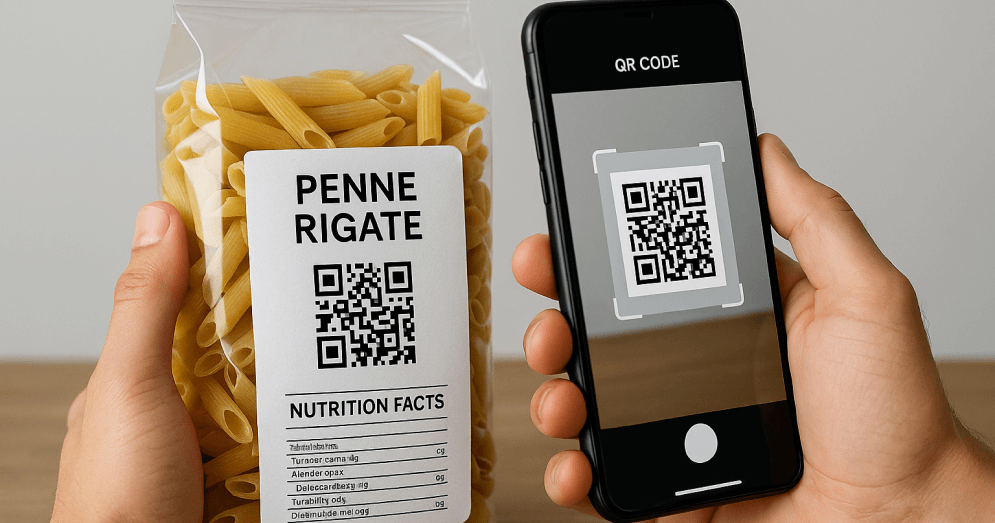
A QR code on food packaging carries regulatory information by linking the product to a page that holds it: the full ingredient list, nutrition details, allergens, origin, recycling instructions or a recall notice. What it may carry instead of the printed label depends on the rule. Most food law treats the code as an addition, so the label keeps everything mandatory. Wine in the EU and bioengineered food disclosure in the US are the main exceptions, where the code can carry the required information on conditions.
What a QR code can and can't do on a food label
| Rule | What the QR code can do | Conditions |
|---|---|---|
| EU food information, Regulation (EU) No 1169/2011 | Add information: full detail, translations, origin, recipes | The mandatory particulars stay on the label: name, ingredients with allergens emphasised, net quantity, date marking, nutrition declaration and the rest |
| EU wine labels, Regulation (EU) 2021/2117 | Carry the ingredient list and the full nutrition declaration as an e-label | The energy value, shown with "E", and allergens stay on the label. The e-label page must not track the user or carry marketing, and must be in a language the buyer understands |
| EU packaging, Regulation (EU) 2025/40 (PPWR) | Not required yet | Harmonised labels and QR-based data carriers arrive from 12 August 2028 at the earliest; reusable packaging needs a data carrier from February 2029 |
| US bioengineered food disclosure (USDA) | Carry the disclosure through a scannable link | The text "Scan here for more food information" and a phone number appear next to the code, and the page shows the disclosure first, without marketing |
| US Nutrition Facts (FDA) | Add information only | The Nutrition Facts panel stays on the label |
| The EU Digital Product Passport | Doesn't apply | Food is excluded from the ESPR, the regulation behind the passport |
Rules change by country and product, so check the ones that apply to your markets with your regulatory adviser before printing.
How to add QR codes to food packaging for regulatory information: six steps
- List the rules for each market you sell in. Note for each requirement whether it must be printed or may be provided through a code. The table above covers the main EU and US rules; national rules on recycling and environmental labels add more.
- Keep the mandatory particulars on the label. Decide what the code adds: the full detail behind each particular, the languages you can't fit, the origin story, preparation, storage and recycling instructions. For wine, decide what moves to the e-label and keep the energy value and allergens printed.
- Build the code on your GTIN. Use a GS1 Digital Link, so the code carries the product's identity and still rings up at a 2D-ready checkout. Add the batch and the expiry date where you need batch recalls or date-specific information.
- Build the regulatory page. Lay out the required sections in a fixed order, such as ingredients, allergens and nutrition, and translate them for each market. Keep wine e-labels and US disclosure pages free of marketing and tracking, and put anything promotional on a separate page.
- Add the code to the artwork. Respect the minimum size and the quiet zone, place it where it won't be folded or sealed over, and add the wording your rule requires, such as "Scan here for more food information" in the US. See the legibility guide and the dual barcode guide.
- Test, publish and keep it current. Scan the printed proof on several phones and a 2D checkout scanner. After launch, update the page when a recipe or a rule changes, and switch an affected batch to a recall notice when you need to: the printed code stays the same.
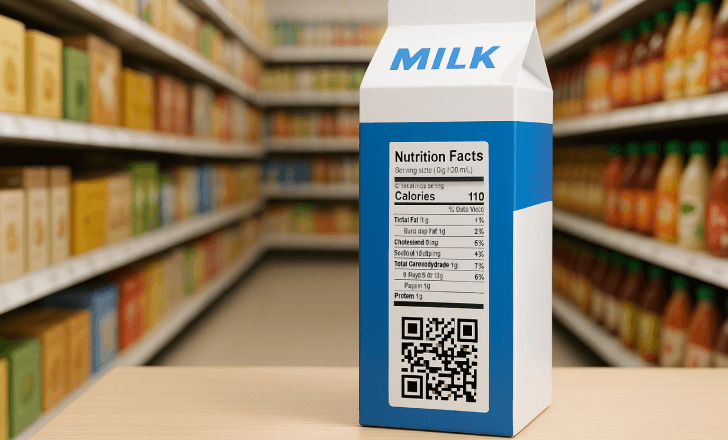
What to put behind the code
| Information | Printed on the pack | Behind the QR code |
|---|---|---|
| Ingredients and allergens | Required, allergens emphasised | The same list, plus sourcing and dietary suitability |
| Nutrition | Required table | Extended values, portions, dietary filters |
| Origin | Where required | Farm, region, catch area, supplier story |
| Date and batch | Required date marking | Batch-specific status, recall notices |
| Storage and preparation | Where required | Videos, recipes, step-by-step instructions |
| Recycling | National labels where required | Instructions for the scanner's own country |
| Wine ingredients and nutrition | Energy value and allergens | Full ingredient list and nutrition declaration (e-label) |
Food packaging on the Digital Link platform
Digital Link, the platform behind this site, covers the code and the page:
- Templates by category. Food and beverages, and wine and spirits, with the regulatory sections already in place.
- One code, every market. The same code shows the page in the shopper's language and with the information for their country.
- Batch and expiry variants. A product's link can carry its batch and expiry date, so a single batch can be switched to a recall notice.
- Built on the GTIN. The platform validates each GTIN and creates the GS1 Digital Link and its QR code.
Create your first food packaging QR code
Frequently asked questions
Can a QR code replace the ingredient list on food packaging?
Not for most food. Under EU Regulation (EU) No 1169/2011 and US FDA rules, the ingredient list, allergens and nutrition table stay printed on the label, and a QR code can only add to them. Wine in the EU is the main exception: its ingredient list and full nutrition declaration can move to an e-label.
What must stay on a wine label if I use a QR code?
The energy value, shown with the symbol "E", and any allergens. The rest of the nutrition declaration and the ingredient list can be provided through an e-label reached by the code, on a page that doesn't track users or carry marketing.
Can a QR code carry the US bioengineered food disclosure?
Yes. The USDA disclosure standard allows a scannable link, with the text "Scan here for more food information" and a phone number next to it. The page it opens has to show the disclosure first, without marketing.
Do food products need a Digital Product Passport?
No. Food is excluded from the ESPR, the EU regulation behind the Digital Product Passport. Food packaging can still carry a QR code for labeling, traceability and recalls.
Can one QR code serve the checkout and the regulatory information?
Yes, if it is a GS1 Digital Link. The code carries the GTIN, which a 2D-ready checkout reads to ring up the sale, and a web address, which a phone opens to show the regulatory page.